3.6.0
Download
rcmd 3.6.0 → This is a release with breaking changes,
trying to unify the many different switchers and OSDs into a simpler
mental model.
From now on, we only care about a single modifier:
rcmd for appsdouble tap and hold rcmd for everything else
(windows, tabs, stages)
The app switcher will also focus more on switching apps than
searching, while the window switcher becomes a fuzzy search based
OSD.
Breaking
- Window switching by
ralt +
letter is gone, windows are found by fuzzy searching
- The stage trigger moved from
capslock
by default to ralt (can be changed back, it's mostly
for people that get surprised by capslock not working
properly)
- Saved windows are now also searchable
instead of based on letter assignment
- The app switcher lists apps only, no window rows, tab rows or
recently closed rows
Left Command+tab is now app-only
switching, while Right Command+tab switches
windows
Features
Lens: rcmd can now list and switch browser tabs,
terminal panes, System Settings panes, Reminders lists and more
The system is extensible, each Lens being a set of scripts
that define how to fetch lens items (tabs, panes etc.) and how
to switch to them
A lens is a folder in ~/.config/rcmd/lenses: a
lens.yaml and its scripts.
The included MCP allows an LLM agent to write those
scripts for you, with a prompt like: "write an rcmd Lens for
X" where X can be anything like:
- cmux panes
- Finder folders in
~/Invoices
- SSH servers you connect most often
- Figma projects
MCP: AI agents can now communicate with rcmd
Install the MCP server from Settings -> MCP
This allows an LLM like claude, codex and
others to:
- create Lens scripts for focusing tabs, panes, projects
through rcmd
- create Stages as whole arrangements of apps described in
natural language with position, display, size, projects or files to
open, commands to be run etc.
- troubleshoot config problems like why search doesn't return expected
things, why hotkeys misbehave etc.
- one-shot controlling of apps, windows, spaces etc.
Window switcher: double tap and hold
rcmd to fuzzy search windows, tabs, panes
Assign a letter to any window by holding that letter for a few
seconds
Press rcmd - app letter -
window letter for quick focusing assigned windows or
tabs
Cycle apps is back from rcmd v2 and can be set
for the When already focused action
pressing the same letter again cycles the running apps that start
with that letter
Choose which display the OSD opens on: the main display, the one
with the active window, or the one under the cursor
Fixes
- Fixed high CPU from regex matching when a window title changes
rapidly
- Fixed Exposé holding its tile memory for the life of the app
- Fixed Exposé missing menu bar windows and dialogs
- Fixed a
config.yaml with a retired setting discarding
every other setting in the file
- Fixed saved windows breaking when an app bundle moved, and saved
scripts showing their wrapper path
- Fixed the
cmd+W/Q/H/R
chips showing where nothing was selected
- Fixed latched
shift+tab stepping
forwards
- Fixed moving a stage to another Space needing the window move turned
off first
- Fixed an app whose windows stopped showing up in the switcher after
its window watcher failed to start once
- Fixed app hangs being reported when a modal was waiting on you
3.0.0
Download
rcmd 3.0.0 →
Caps-lock and fn as trigger keys
Use your HyperKey or fn key for app switching, window switching,
stage opening etc.
Window jumping, without Hammerspoon Pro
rcmd can now jump between the windows of an app on its own.
Hold the window trigger key (Right Option by default) and press a
letter to focus a specific window, or type to search window titles.
Earlier versions leaned on the Hammerspoon helper app to work around App
Store sandbox limits. That dependency is gone, and window jumping is no
longer marked experimental.
Fuzzy search apps and windows Pro
Hold the trigger and type to fuzzy-search across installed apps,
running apps and open windows in one ranked list. Picks are remembered
per query, so your next "f" lands on the same app without re-ranking
from scratch.
Stages Pro
A Stage is a set of apps and windows saved under a single key.
Recall a stage and rcmd focuses, launches and arranges everything in
it at once, with each window placed where you left it. Use them to jump
between contexts, like a writing setup or everything you need open for
one project.
Closing a stage can close its windows, minimize them, or move them
off screen, and rcmd can reopen anything it closed the next time you
recall the stage.
New Stages section in Settings for trigger keys,
the close action and per-stage editing.
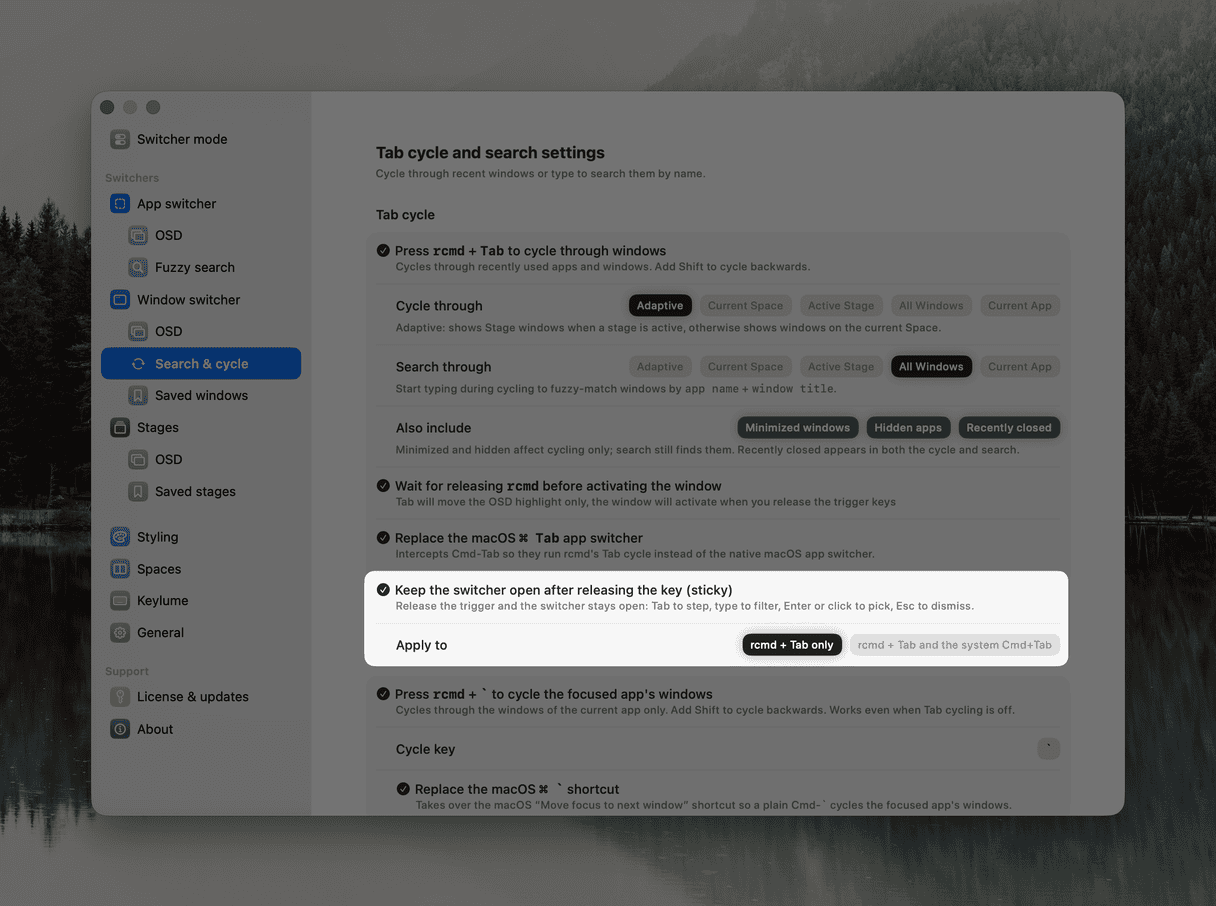
Replace Command-Tab
rcmd can take over ⌘Tab and
⌘` and run its own window cycle instead.
Each Tab press moves to the next most recently used window. Typing
during the cycle filters by fuzzy match on app name and window
title.
Move around Spaces
rcmd can switch to a Space by number straight from the keyboard. With
instant switching Pro, you land on the
target Space without the macOS slide animation.
Small Space indicators sit next to the rcmd icon in the menubar so
you can see which Space you are on and which number takes you elsewhere.
Windows can also be sent to another Space Pro with ⌥
Right Option + 0-9.
Mouse follows the focused app Pro
The cursor warps to the app rcmd just brought forward, so the pointer
is already inside the window you are about to use. Especially handy on
multi-display setups.
Companion: Keylume on-screen keyboard
Hold the trigger and rcmd can summon Keylume to
overlay your live key bindings on an on-screen keyboard, with light and
dark themes that follow your system appearance. One-click install from
the Keylume settings tab; everything stays in sync as you reassign keys
or focus different apps.
Configuration file
All of your assignments, stages and settings now live in a readable
YAML file at ~/.config/rcmd/config.yaml.
Edit it by hand, keep it in a dotfiles repo, or move it between
machines. rcmd config export and
rcmd config import handle backups and transfers.
Redesigned onboarding
The first-run flow was rebuilt. It walks you through picking a
trigger, granting permissions, resolving key conflicts, and trying out
app switching, window switching and the Tab cycle before you start.