Resource usage triggers: 6 new trigger types for
monitoring system resources using native macOS APIs (Mach kernel, IOKit,
proc_pidinfo)
- CPU Usage: system-wide or per-app CPU threshold
monitoring
- GPU Usage: system-wide GPU utilization
threshold
- RAM Usage: system-wide or per-app memory threshold
(percentage or MB)
- Thermal State: react to thermal state changes
(nominal, fair, serious,
critical)
- Swap Memory: detect swap activation/deactivation or
usage thresholds
- Disk Usage: storage usage threshold per volume
Spotlight trigger: monitor files system-wide
using live Spotlight queries — all matching runs in the Spotlight
daemon, not in Crank
- file tagged: react when a file gets a Finder color tag
(Red, Orange, Yellow, Green, Blue, Purple, Gray)
- content type: match files by UTI content type with string
comparisons (equals for UTI conformance, contains, starts with, ends
with, like)
- file size: detect files exceeding a size threshold
- file name: match files by display name with string
predicates
- query restarts are debounced (2s) so typing in the condition field
doesn't spam Spotlight
- initial results are suppressed — only newly matching files fire
events
App not responding detection: two new sub-events
for the Application trigger
- not responding fires when an app becomes unresponsive
(beach ball)
- responding again fires when it recovers
- uses WindowServer notifications for instant, zero-overhead
detection
Audio trigger: react to audio device changes
using CoreAudio property listeners (no polling)
- output device changed: fires when the default output device
switches
- input device changed: fires when the default input device
switches
- output device connected: fires when a new output device
appears
- input device connected: fires when a new input device
appears
- exposes
{deviceName} so actions can match or reference
the specific device
App Windows trigger: monitor window lifecycle
events across all apps using the Accessibility API
- window opened: fires when a new window appears
- window closed: fires when a window is destroyed
- window focused: fires when a window receives focus
- window defocused: fires when a window loses focus
- optionally filter to a single app
- exposes
{windowTitle}, {appName},
{bundleID}, {windowBoundsX},
{windowBoundsY}, {windowBoundsWidth},
{windowBoundsHeight}
Webhook trigger: subscribe to ntfy.sh topics and fire when a message
arrives
- persistent streaming connection with automatic reconnect and
exponential backoff
- exposes
{ntfyMessage}, {ntfyTitle},
{ntfyTopic}, {ntfyPriority},
{ntfyTags}
Privacy trigger: detect when macOS privacy
indicators are active by reading the Control Center menu bar icon's
accessibility label (replaces the old Camera trigger)
- camera on / off: fires when the camera indicator appears or
disappears
- microphone on / off: fires when the microphone indicator
appears or disappears
- screen recording on / off: fires when the screen recording
indicator appears or disappears
- location on / off: fires when the location indicator
appears or disappears
- polls the Control Center status item every 2 seconds via the
Accessibility API
- exposes
{privacyIndicator} with the indicator name
(Camera, Microphone, Screen Recording, or Location)
LAN trigger: detect Ethernet cable
connect/disconnect using SCDynamicStore link state
monitoring
- connected: fires when an Ethernet interface gets link
- disconnected: fires when link is lost
- exposes
{interface} with the BSD interface name (e.g.
en0)
- 5-second polling fallback for reliability
Visual Change trigger: fire when a Pipiri PiP window detects that
the captured content has changed or gone idle
- two sub-events: change detected and idle
detected
- exposes
{bundleID}, {windowID}, and
{windowTitle} template variables
- requires Pipiri with
idle detection enabled on the PiP panel
- if Pipiri is not installed, the sub-events are disabled and a link
to the app is shown in the menu
Process trigger: watch any process, not just
.app bundles
- launched: fires when a new process appears
- quit: fires when a process disappears
- filter by process name (e.g.
coreaudiod,
Dock, mds_stores) using the standard text
condition
- exposes
{processName}, {processPath}, and
{pid} template variables
- polls the process list every 2 seconds via
proc_listallpids/proc_pidpath
Notifications trigger (macOS 15+):
fires on any incoming notification
- watches the system notification database for new entries
- filter by app name using the text condition
- exposes
{appName}, {bundleID},
{notificationTitle}, {notificationSubtitle},
{notificationBody}
Messages trigger: iMessage and SMS, incoming and
outgoing
- reads the Messages database (chat.db) for new rows
- two sub-events: message received and message
sent
- filter by sender (phone number or email)
- exposes
{messageSender}, {messageText},
{messageService}, {isFromMe},
{messageAttachments}
Mail trigger: fires when Apple Mail receives an
email
- watches Mail's envelope index database for new messages
- filter by sender email address
- exposes
{mailSubject},
{mailSenderAddress}, {mailSenderName},
{mailBody}, {mailToAddress},
{mailAttachments}
Volume trigger: fires when an external drive or
disk image is mounted or unmounted
- uses
NSWorkspace.didMountNotification /
didUnmountNotification, no polling
- two sub-events: mounted and unmounted
- filter by volume name using the text condition
- exposes
{volumeName} and {volumePath}
template variables
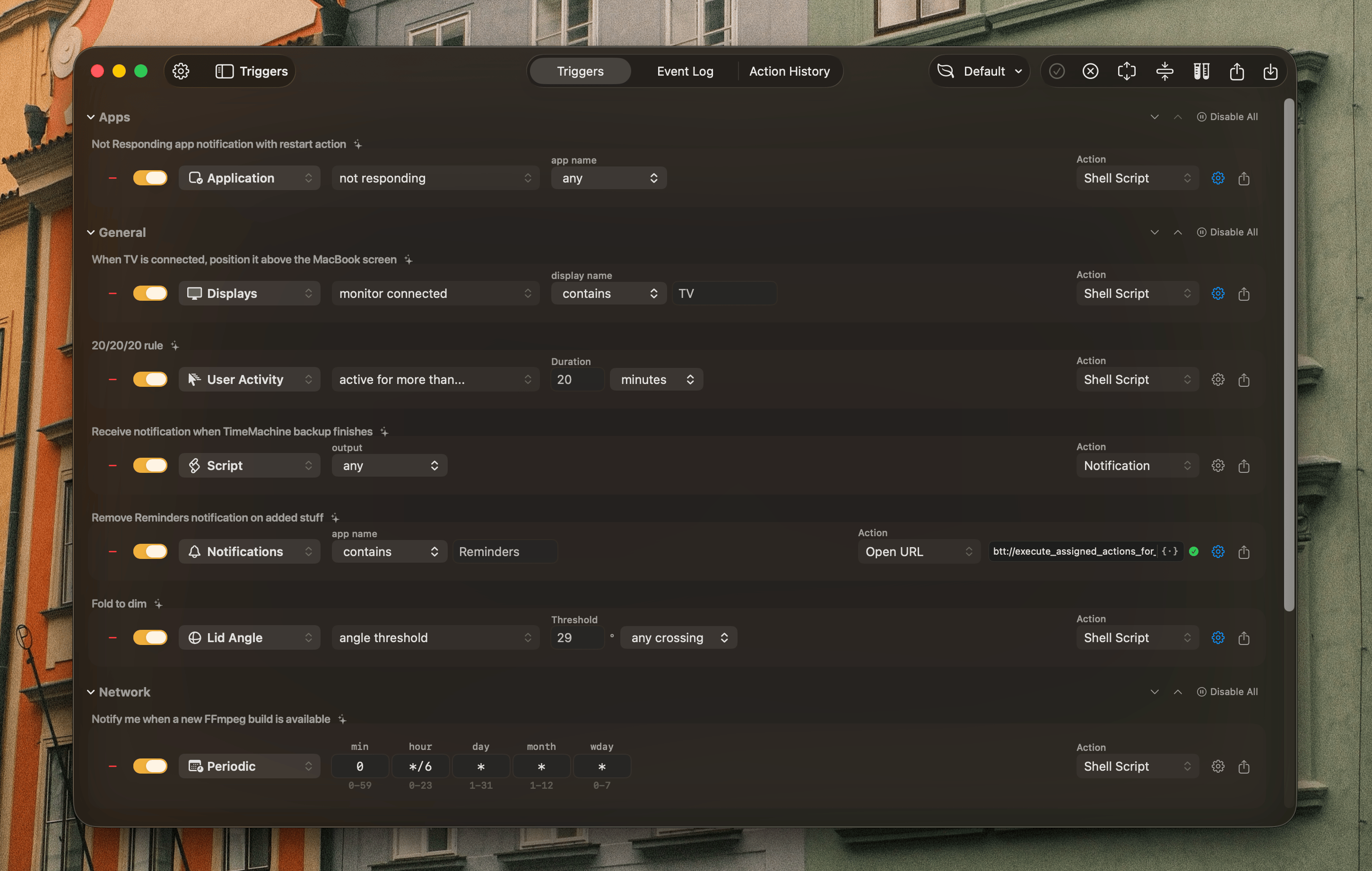
Periodic task trigger: fire on a cron schedule
using standard 5-field expressions (minute, hour, day-of-month, month,
day-of-week)
- supports
*, */N steps, N-M
ranges, and N,M lists
- computes the next matching time and schedules a single timer instead
of polling every minute
- shows the next fire time in the rule row
- exposes
{hour} and {minute}
Boot trigger: fires once after system boot if
Crank launches within 5 minutes of startup
- checks
ProcessInfo.systemUptime on start
- persists the boot timestamp to UserDefaults so restarting the app
within the same boot session won't re-trigger
- useful for mounting network drives, launching apps, or running setup
scripts on login
Rule profiles: organize rules into named
profiles (e.g. "Work", "Home") and switch between them from the toolbar
or menu bar
- a Default profile is created automatically with all existing
rules
- creating a new profile starts empty; add rules from the sidebar as
usual
- switching profiles stops triggers for hidden rules and starts
triggers for visible ones
- each profile has a customizable icon (50 SF Symbols to choose
from)
- right-click any rule to move it to a different profile
- rename or delete the active profile from the toolbar profile
menu
- profiles are also accessible from the menu bar extra when more than
one exists
Gemini API key stored in Keychain: the API key
is now saved in the macOS Keychain instead of UserDefaults; existing
keys are migrated automatically on launch